
Why Processes Matter More Than You Think
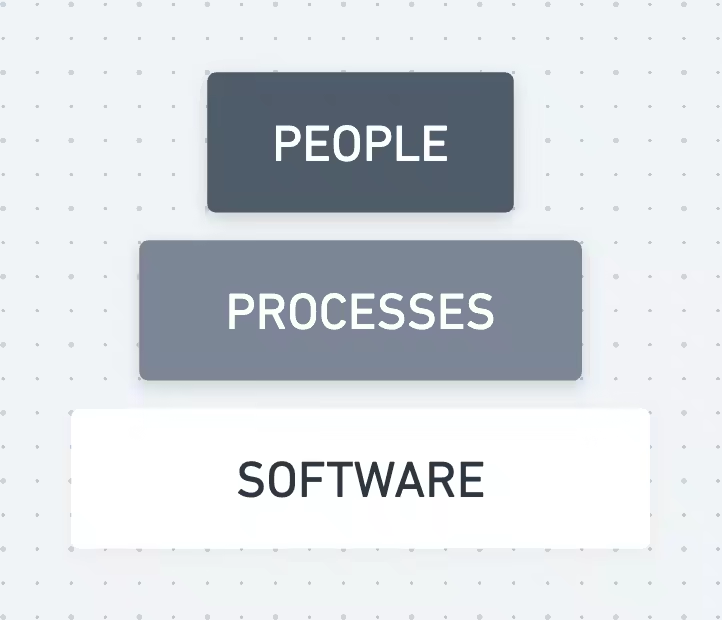
From my experience helping clients set up project management software, the real struggle isn’t with the tool. It’s the lack of a clear process. It took me some time to come to terms with the idea of processes. We often label processes as rigid and complex, but I realized they don’t have to be. A good process can be your friend. It’s simple, flexible, and sets clear boundaries.
4 benefits of good processes
- Collaboration. Put people first. Clear processes help everyone work better together. Be clear about who does what.
- Simplicity. Processes turn big tasks into small, doable steps. Break down complex tasks.
- Scaling. With processes, you can handle more work and people, minus the chaos. Design your processes to grow with you.
- Software adoption. Solid processes make your tools even more useful. Make your software fit your processes. The tool follows the process.
“Clear processes lead to better communication, accountability, and teamwork.”
Rosamund Stone Zander and Benjamin Zander, The Art of Possibility
3 theories that support processes
People avoid processes because of some common myths. In reality, good processes free up your mind for creative work.
Cognitive load theory
What it means. Cognitive Load Theory suggests that our working memory has a limited capacity. When it’s overloaded with too many tasks or information, our performance suffers. How it relates to processes. A well-designed process minimizes the mental effort required to complete tasks. By cutting down on mental clutter, processes allow you to focus on what matters most, thereby improving your output and decision-making. Action steps.
- Prioritize tasks within your processes so the most critical tasks get your full attention.
- Use checklists or project management tools to offload mental tasks and free up cognitive resources.
Lean thinking
What it means. Originating from manufacturing but applicable to various sectors, Lean Thinking focuses on reducing waste and adding value. The goal is to do more with less. How it relates to processes. Lean processes are streamlined and efficient, focusing only on steps that add value to the end goal. By eliminating unnecessary steps, you can achieve better results with less effort. Action steps.
- Run a process audit to identify and eliminate steps that don’t add value.
- Review the process on a schedule. Steady improvement keeps it lean and effective.
Flow state
What it means. The Flow State is a psychological state where a person is fully immersed in what they’re doing, leading to heightened creativity and productivity. How it relates to processes. A well-crafted process can set the stage for entering a flow state by removing distractions and providing a clear path to the objective. When you’re not bogged down by confusion or unnecessary tasks, it’s easier to engage fully with your work. Action steps.
- Design your processes to include periods of focused, uninterrupted work. https://twitter.com/heyramzi/status/1680834736049238017?s=20
Software picks up the routine
Here’s how to get the most out of a tool like ClickUp with a clear process:
- Match steps to features. Line up each process step to a ClickUp feature.
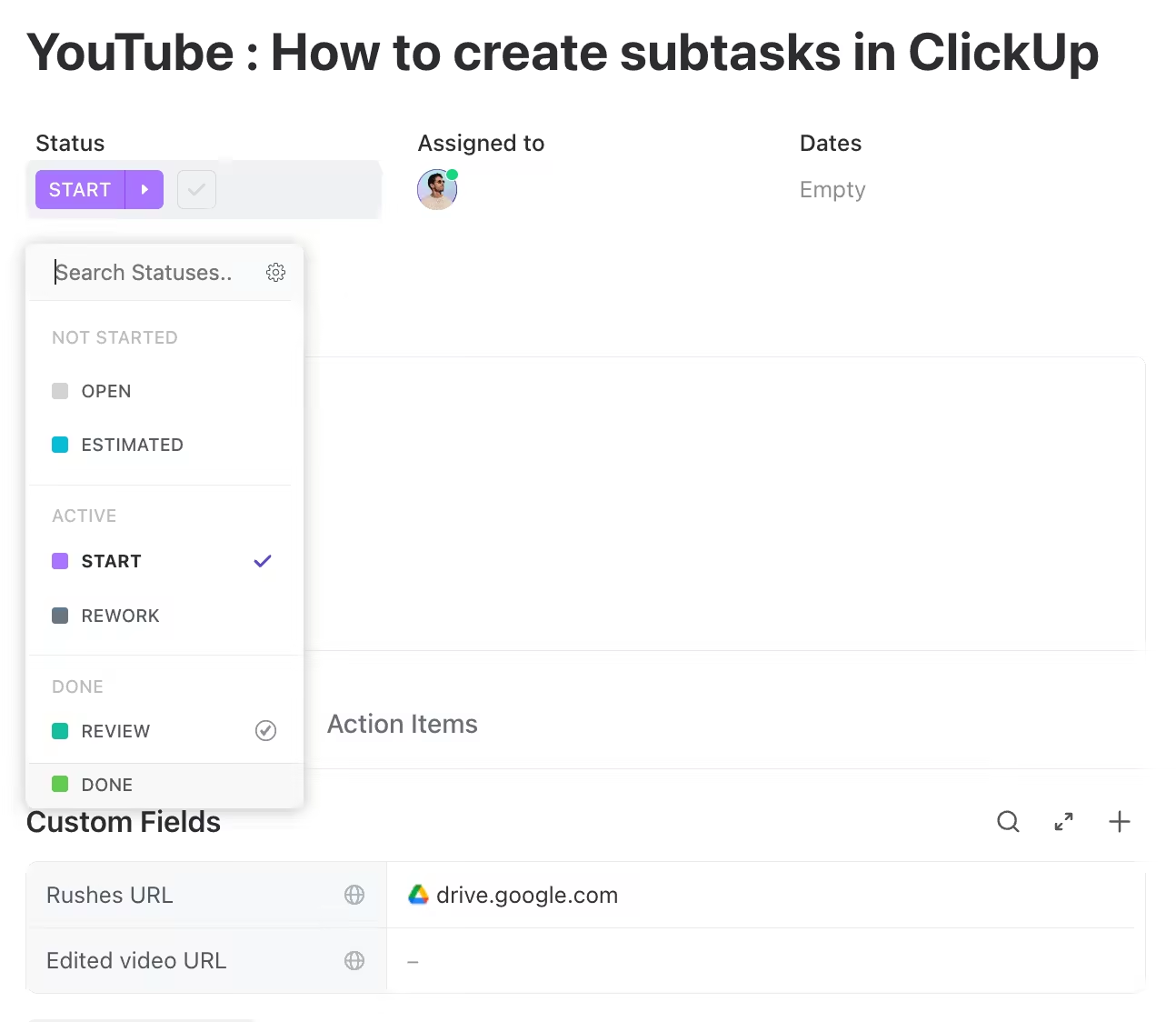
- Workflow steps correspond to statuses
- Documents to fill can become a file custom field
- Emails sent can be turned into an automation.
- Automate small stuff. Use ClickUp’s automation for the repetitive things. Ask yourself each time, “What is something that we always do that pushes a task to the next step?”
- Keep tweaking. Don’t let your processes get stale. Update them based on what you learn.
A checklist to build your process
- Objectives. What’s the goal?
- Participants. Who’s involved?
- Workflow steps. What needs to happen?
- Milestones. What are the key points to hit?
- Data. What information is needed?
- Automation. Where can we save time?
- Manual steps. Where does human judgment come in?
- Test. Does it work?
- Document. Can a kid understand it?
- Flexibility. Be ready to adapt.
A real-world example
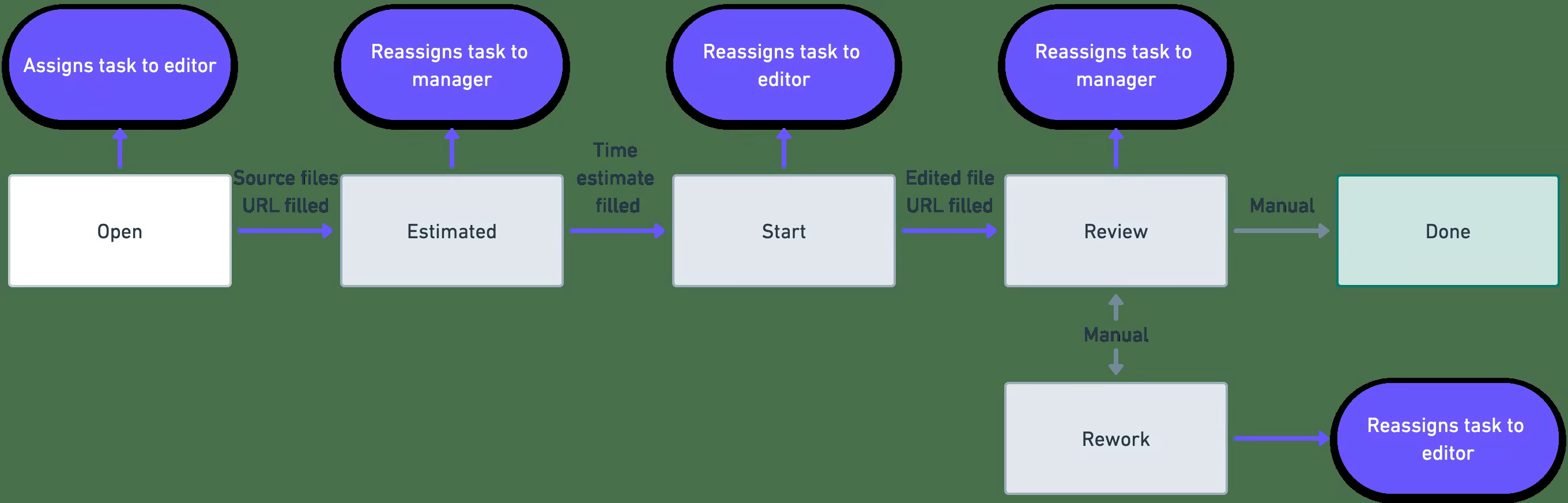
Let’s look at a video editing project in ClickUp. Here’s how to make it run smoothly:
- Task creation. Start with a status of ‘Open’ and assign it to the Editor.
- Time estimates. The status turns to ‘Estimated’ when the Editor fills out the time.
- Start editing. A ‘Purchase Order’ file upload changes the status to ‘Start’.
- Review stage. Filling in the ‘Edited File URL’ moves it to ‘Review’.
- Rework loop. Switch manually between ‘Rework’ and ‘Review’.
- Completion. Change the status to ‘Done’ when it’s complete.
That’s it.
Let me know if this edition helps you understand the why behind processes and how to set them up!