
Notion vs. ClickUp: Decoding The Project Management Titans
Notion vs. ClickUp: decoding the project management titans

TL;DR
- Explored Notion and ClickUp as project management software choices.
- Analyzed 12 key criteria to make an informed decision.
- Notion leads in customization, relationships, calculated fields, and documentation management.
- ClickUp excels in templates, automation, roles and permissions, dashboards, collaboration, and integrations.
- Get a scoring system to identify which software fits your specific needs and priorities. Today, we are diving into a comparison of Notion and ClickUp. These are the only project management software a modern company should consider for me. I often get clients asking me which tool to pick. They either like the looks of ClickUp or the templates of Notion, and end up picking one or the other without being able to explain why. Let’s get into a detailed comparison to help you make an informed decision between Notion and ClickUp.
Hierarchy
In Notion, you embed pages within pages to an infinite level. In contrast, ClickUp offers 5 levels of hierarchy: Space, folder, list, task, and subtask. Tie: ClickUp provides structure for coherence. Notion is the choice for more flexibility. 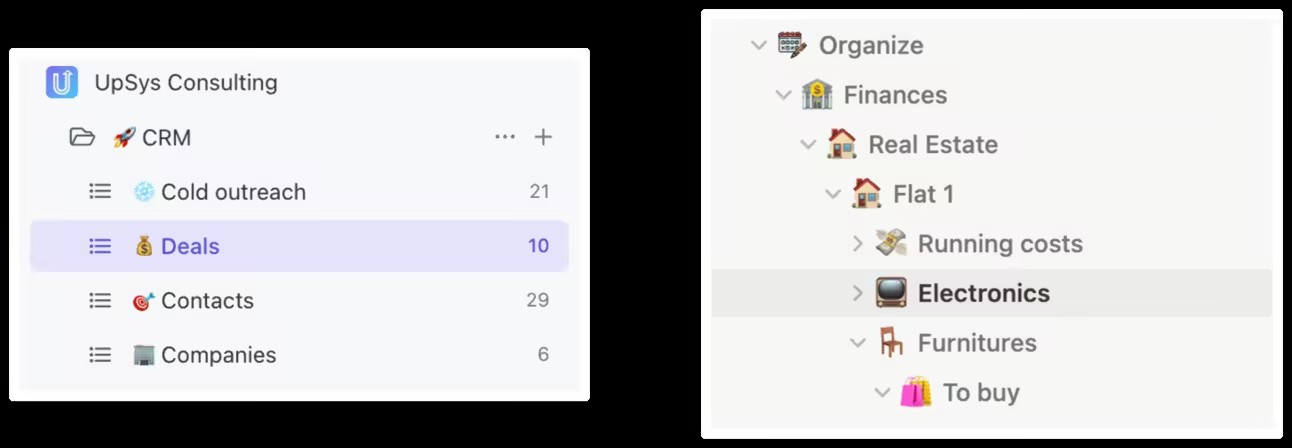
Customization
Notion is highly customizable to almost any need. However, a structuring mistake can require a complete rebuild. ClickUp offers simpler customization options easier to manage. Winner: Notion
Templates
Notion has a larger template community, but ClickUp’s templates are more project-oriented. They support better team sharing, customization, remapping dependencies and deadlines, and creating advanced task templates with subtasks, checklists, custom comments, and fields. Winner: ClickUp
Automation
Value automation features like changing task statuses or sending automated emails? ClickUp is the capable tool.
Winner: ClickUp 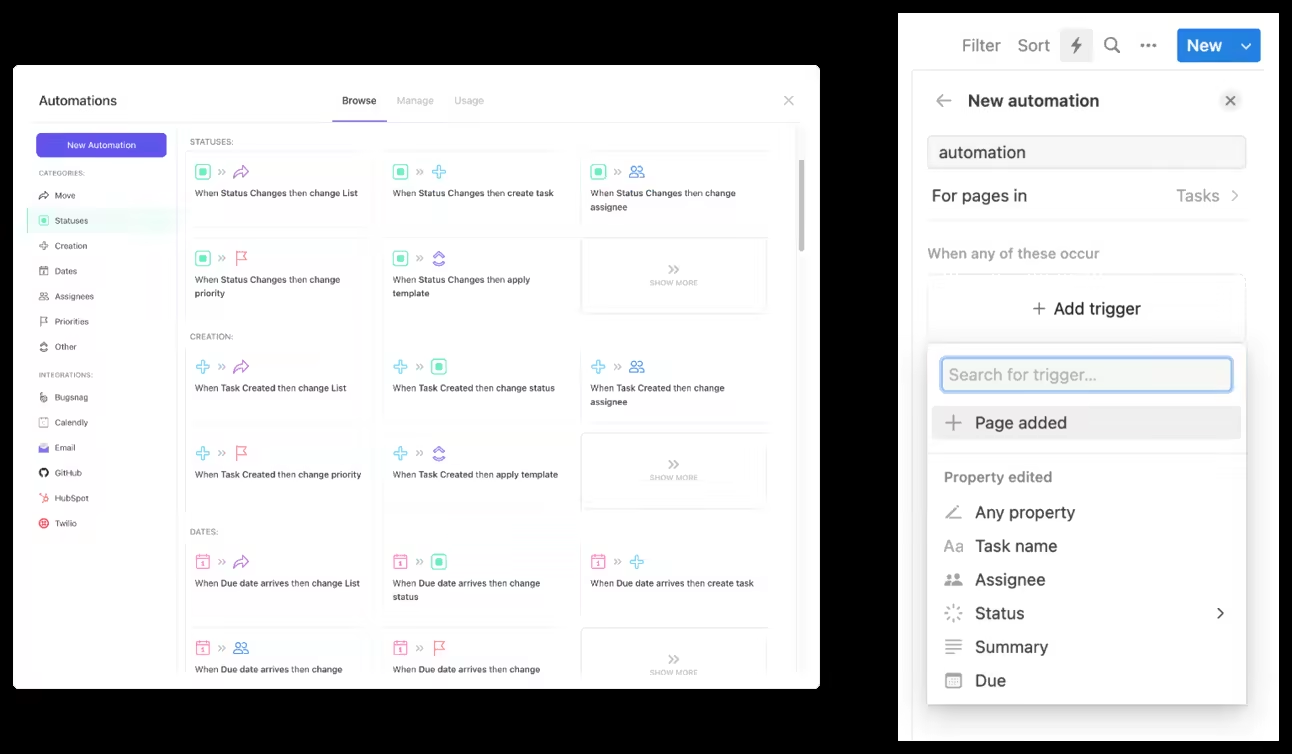
Roles and Permissions
Precisely configuring user roles and access permissions is critical for many organizations. ClickUp enables fine-grained tuning: you can customize roles and permissions at the space, folder, list, and task levels. Notion currently lacks hierarchical permissions.
Winner: ClickUp 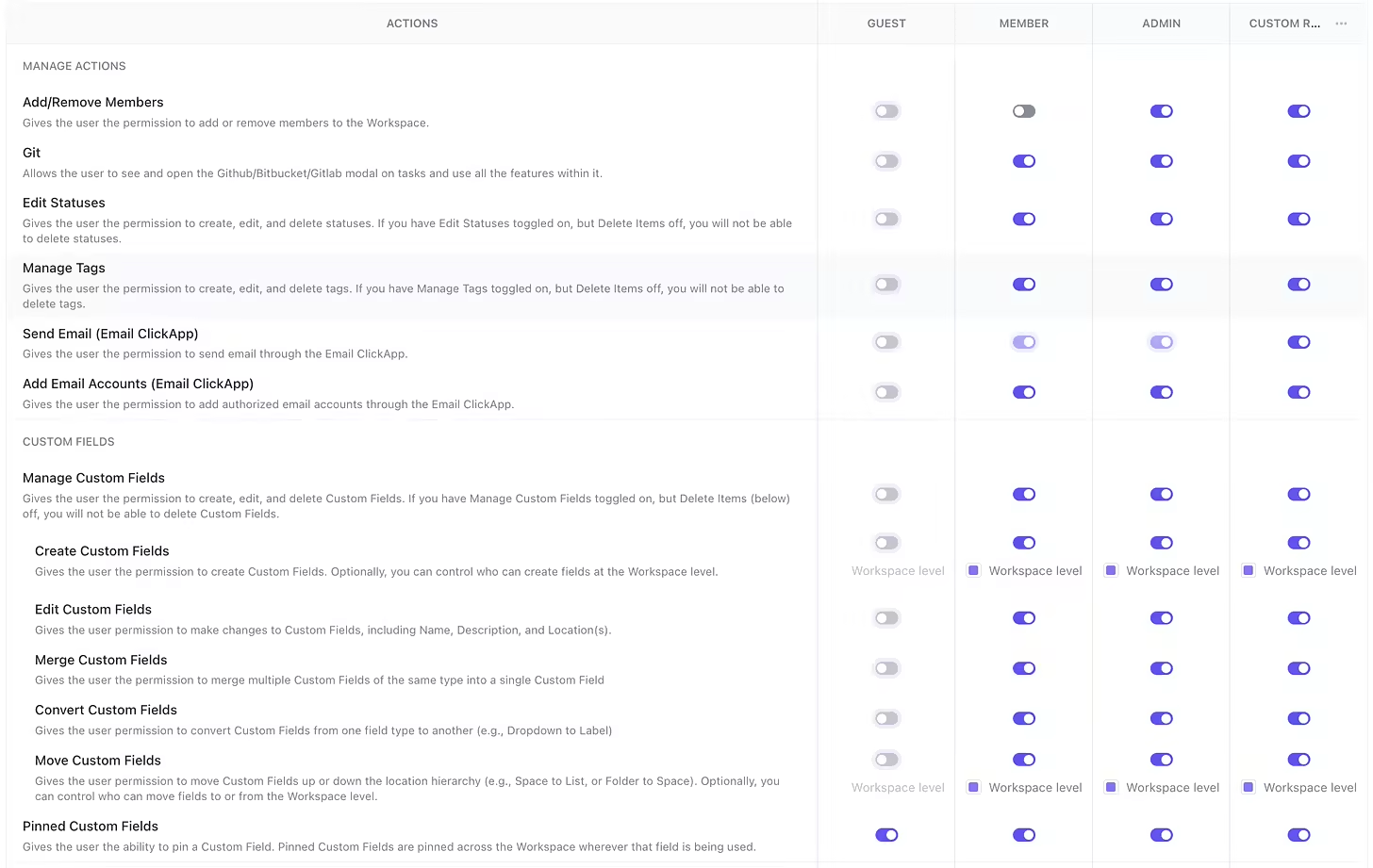
Relationships
For use cases requiring complex relationships between different types of data (such as customer relationship management), Notion is unmatched. Through its relational databases and linked views, you can model web-like databases with table joins inside your workspace. ClickUp does not provide relational modeling, limiting its viability for complex data workflows. Winner: Notion
Calculated Fields
Notion offers exceptionally powerful calculated fields via its formulas. You can write complex logic using over 50 functions, create progress bars, display variables inline, and much more, comparable to spreadsheet software.
ClickUp has lightweight calculation capabilities in contrast, mainly Euclidean formulas and durations.
Winner: Notion 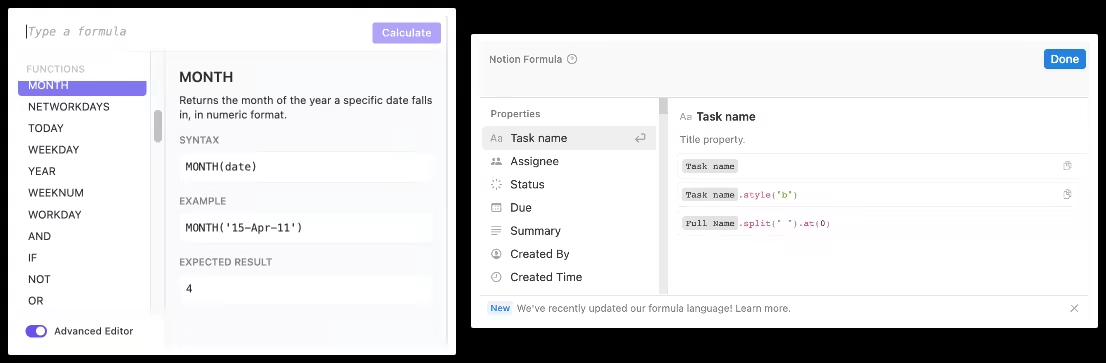
Dashboards
Need reporting features like sprint burndowns or tasks completed over time? ClickUp offers dashboards, Notion doesn’t.
Winner: ClickUp 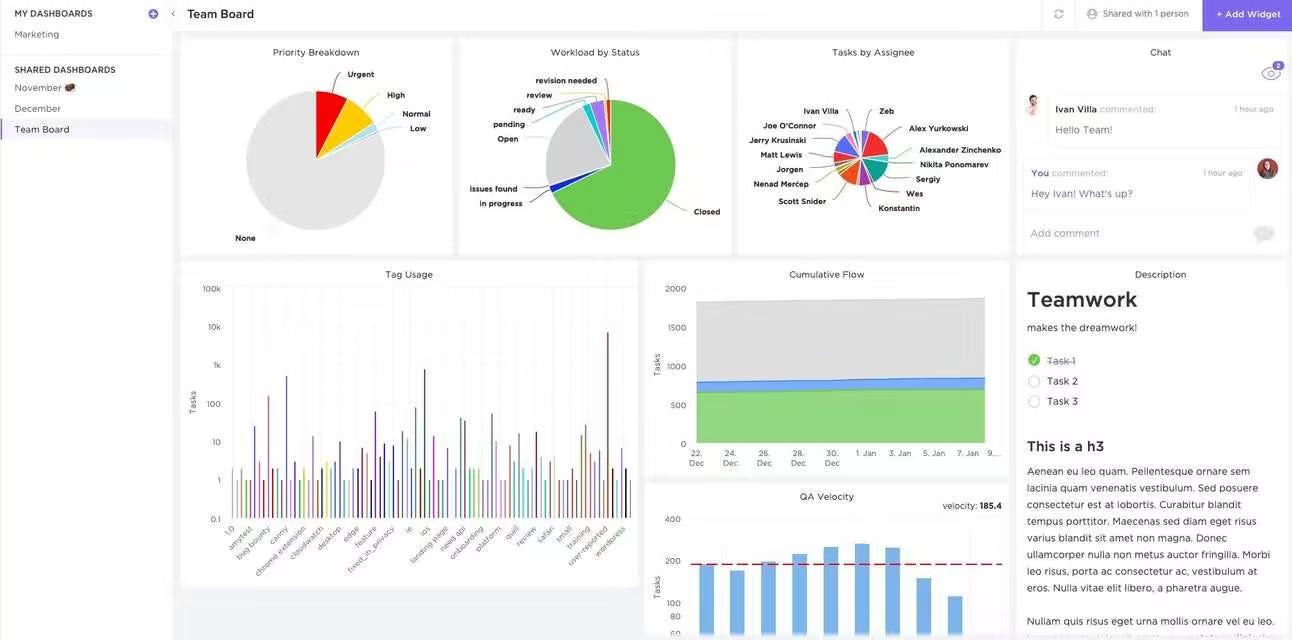
Documentation Management
For managing highly detailed product documentation or technical specifications, Notion’s capabilities excel. Through its blazing fast editor, nested pages, and embeds it’s easy to organize vast amounts of content. While ClickUp offers decent documentation management via folders, task checklists, and comments, it isn’t yet on par. However, the gap is narrowing with the new Doc Editor formatting and embeds. Winner: Notion
Collaboration
Several features give ClickUp superior real-time and asynchronous collaboration support, including the Assignments Inbox for managing mentions, task-based commenting, @ tagging, Picture Proofing, and advanced Search. The user interface neatly consolidates relevant discussions and shared files under each task or project area. Overall, ClickUp offers a smoother flow of communication without the need to switch contexts. Winner: ClickUp
AI Capabilities
ClickUp employs AI to automate and predict project management with features like automated task prioritization and SOP prompt templates. Notion supports more creative writing: summarization of notes, writing enhancements. Tie. Both platforms use AI, just differently.
Integrations
ClickUp offers advanced integration and automation with popular tools like Hubspot, GitHub, and Google Drive. Notion’s integration capabilities are limited and more about embedding content.
Winner: ClickUp 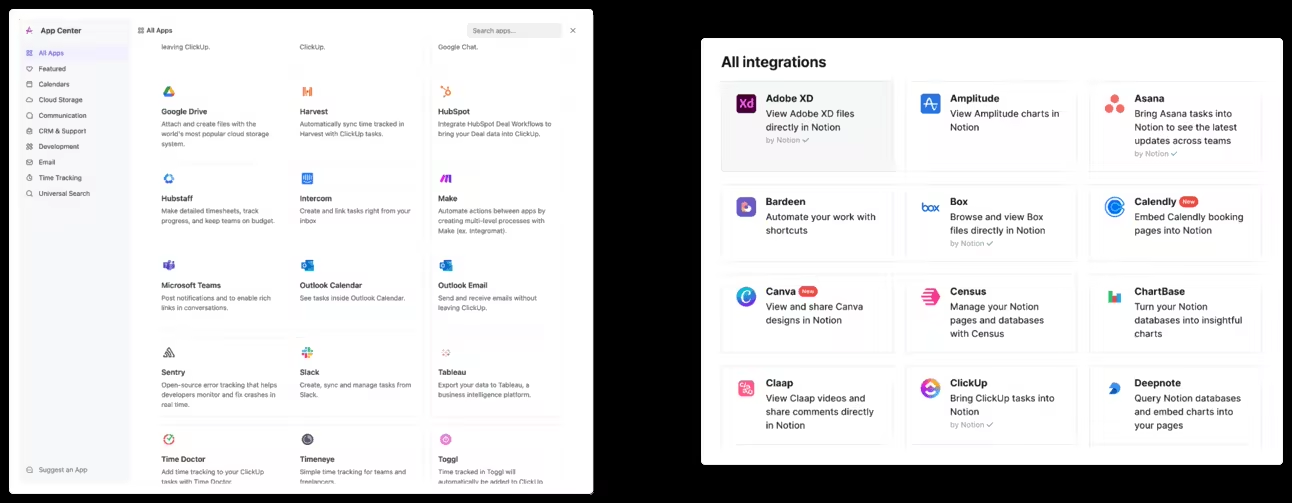
Score them for your needs
To help your decision-making, list down the importance of each item to you, then multiply your priority level with the software rating to get a final score. 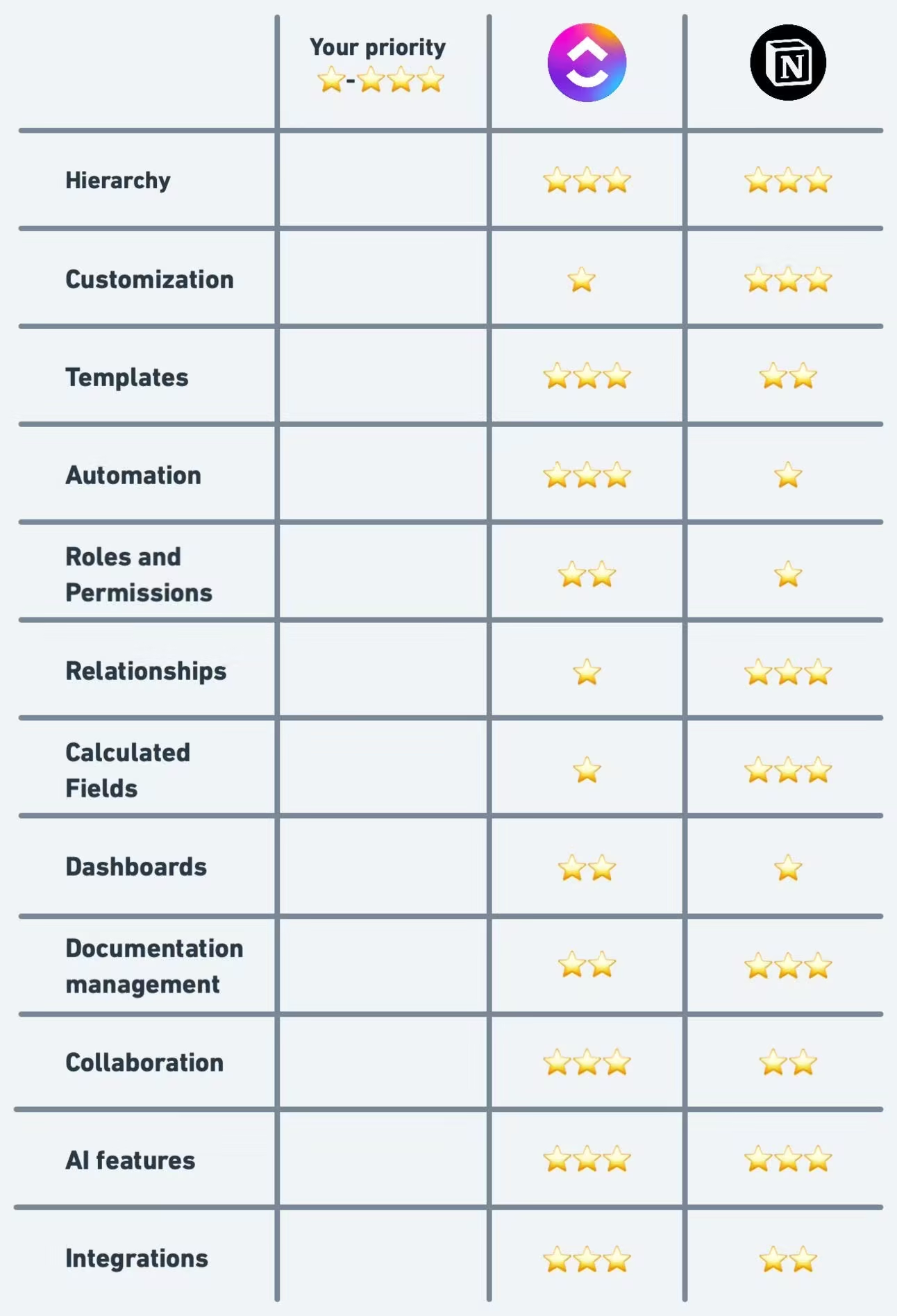 Print this table and fill it with your team.
Score each feature
- Identify your needs. Pinpoint the features your projects need.
- Score each software. From the comparison above, score Notion and ClickUp out of 10 for each feature.
- Multiply by priority. If a feature is high priority, multiply the score by 3, medium by 2, and low by 1.
- Total the scores. Add them up to see which software wins for you. So, which one will you go for?
Originally published at https://systemclub.substack.com.