
I Finally Understood How the GTD Method Works
TL;DR: key takeaways from my GTD journey
- Adapt and personalize. Shape the GTD system with tools like ClickUp to fit your personal and professional life.
- Automate what you can. Use automations to reduce manual sorting and raise output.
- Regular reviews are key. Weekly and quarterly reviews keep the system effective and responsive to your changing needs.
- Keep it simple. Start with basic categories and expand as you grow comfortable with the system.
Hey everyone, Getting Things Done (GTD) stayed out of reach for years. The book explained David Allen’s methodology, but implementation never stuck. The pieces never quite fell into place. That all changed recently when building out the GTD system inside ClickUp. Going through the process of mapping out each component forced a real internalization of how GTD works at a deeper level. Here are the aha moments and how GTD translated into a functional ClickUp template. https://gumroad.com/checkout?wanted=true&product=mupqpx
The core GTD principles
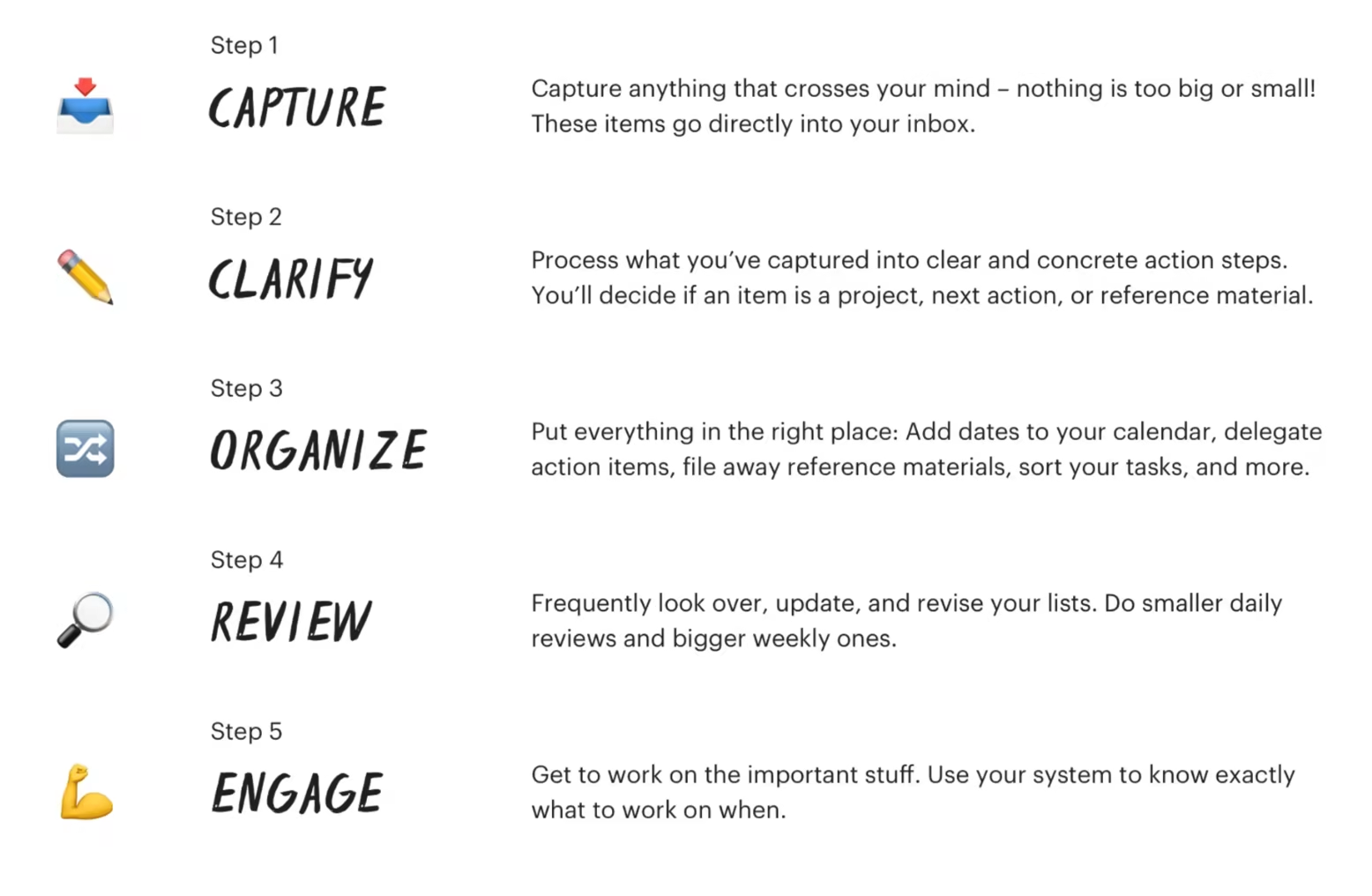 At its essence, GTD comes down to a few key principles:
- Capture everything. Get those thoughts and to-dos out of your mind and into a trusted system.
- Clarify and process. Decide if each item needs action and what the next step is.
- Organize. Put everything in the right place based on context and priority.
- Review regularly. Step back periodically to make sure your system is running smoothly.
- Engage and execute. With your thoughts processed, focus solely on taking action.
These elegant principles make perfect sense. But the magic is in the specific methods and workflows for fitting them into your life without friction.
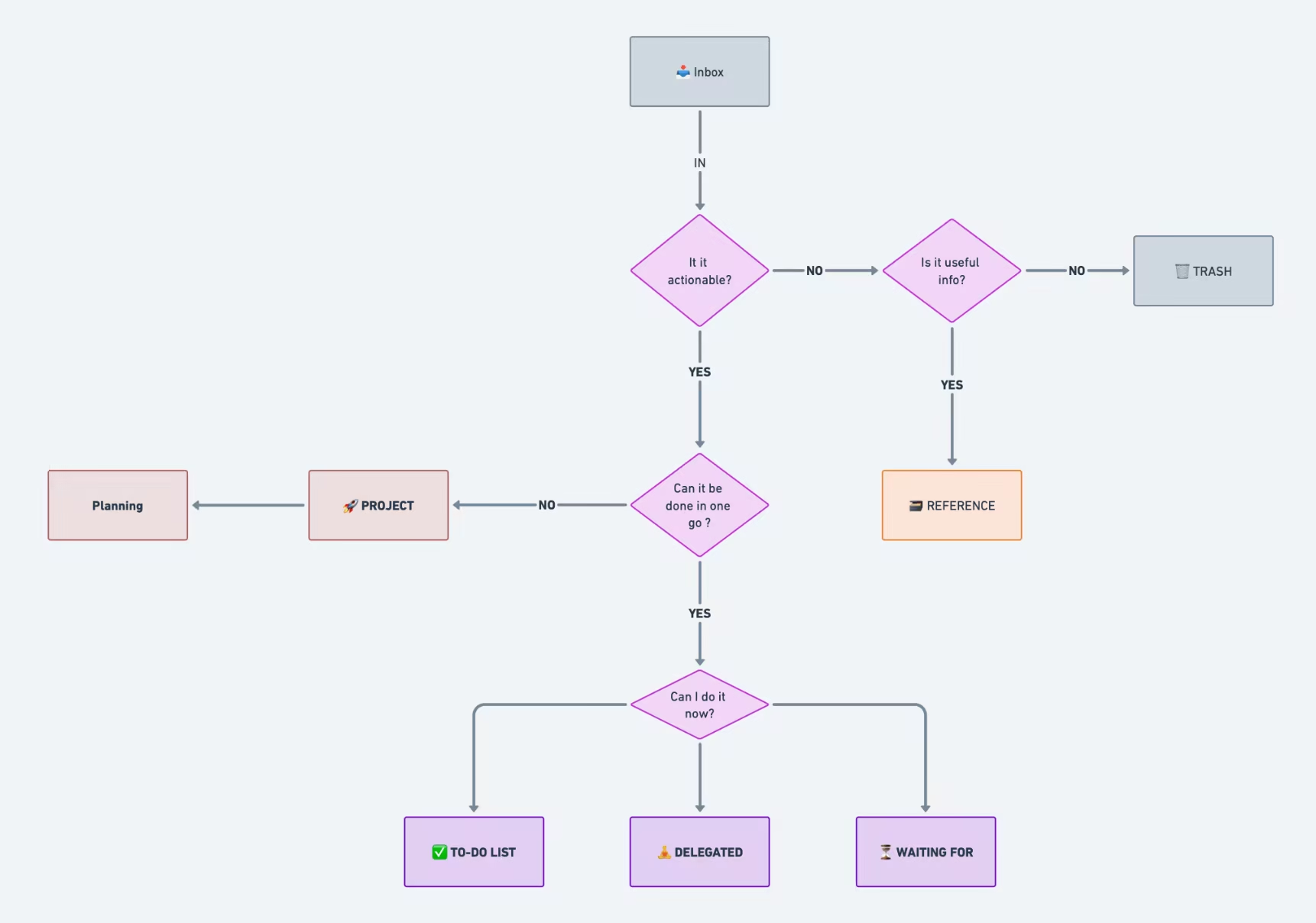
ClickUp brought GTD to life
Creating reusable templates inside ClickUp is what made GTD finally work. Mapping out each step of the process helped demystify what can feel like an abstract methodology:
The Inbox
The natural starting point is an Inbox to quickly capture inputs - thoughts, emails, meeting notes - essentially anything hitting your mental radar. Having a dedicated Inbox in the app made this dead simple. 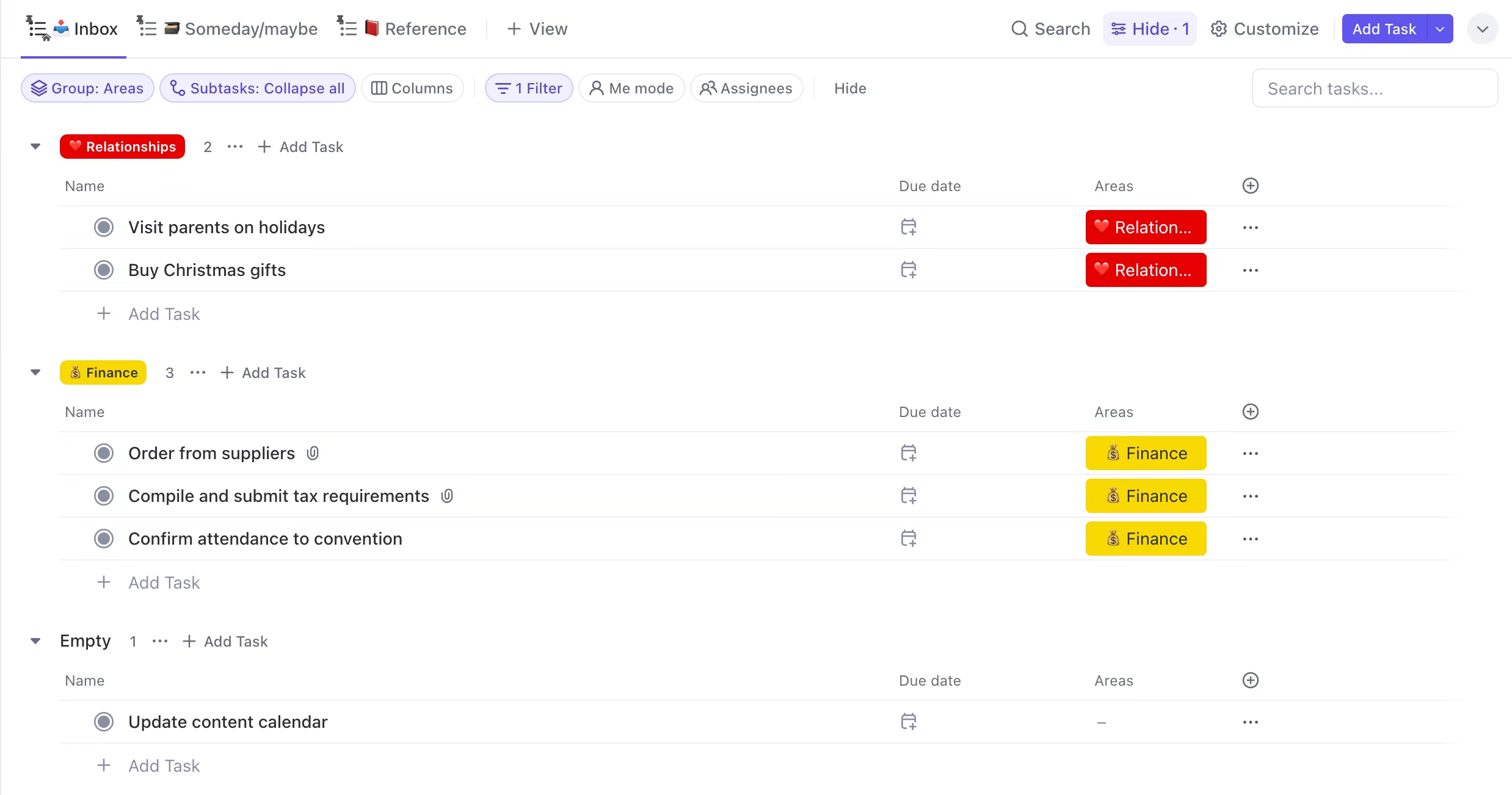
Process and Organize
Next up is clarifying what needs to get done. Does this item need action? If yes, can it be completed quickly or does it need more steps? ClickUp’s custom functionality made it easy to visually map out and automate the routing for each scenario:
- Smaller actions go straight to the Personal To-Do List
- Bigger items are added as ClickUp “Tasks” and broken down into concrete steps
- Items needing no action are stored for reference or eventually archived
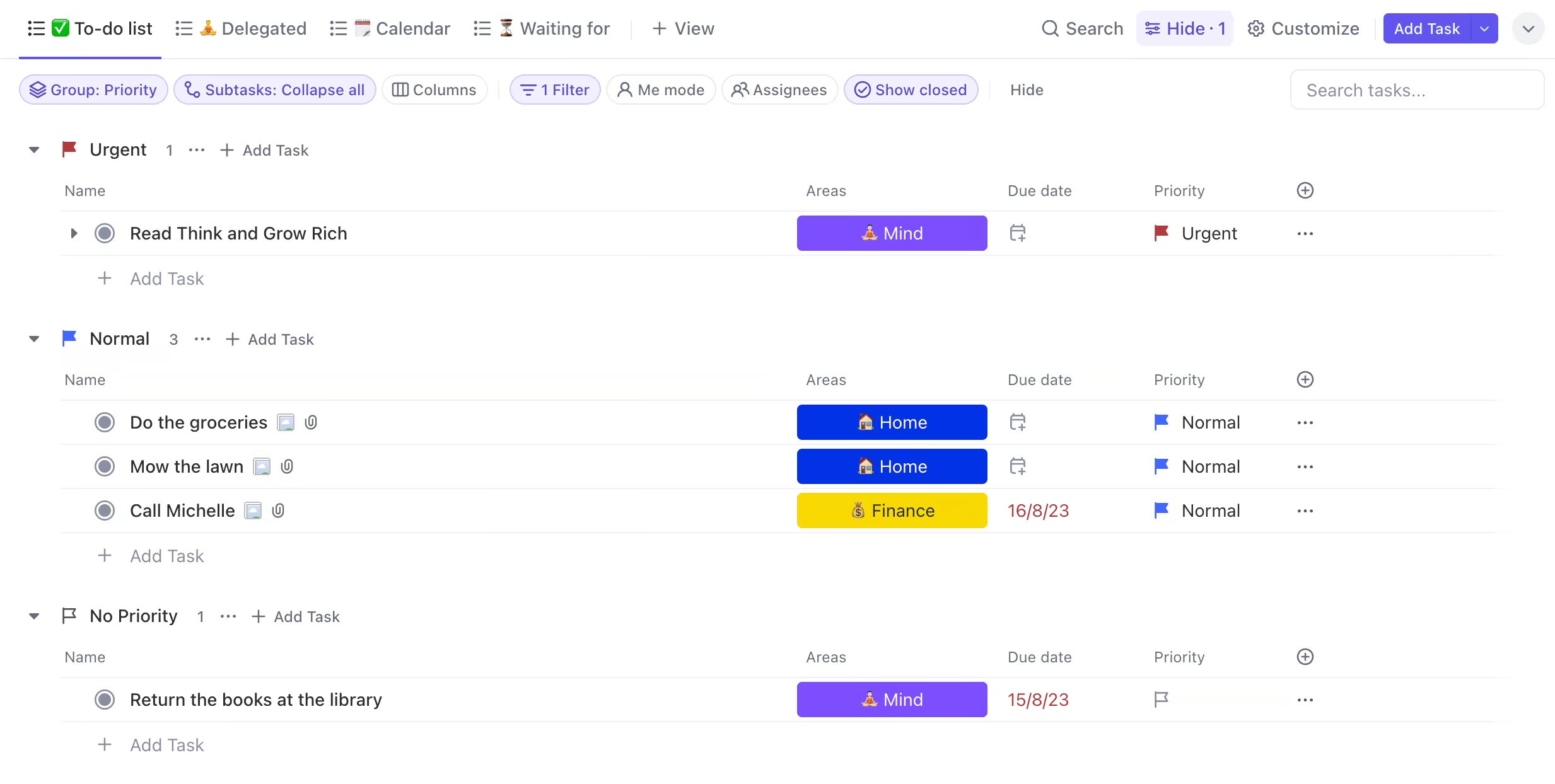
Everything has a proper home organized by context - work tasks under my job role, personal to-dos for home life, and so on.
Using ClickUp Spaces to segment these “life areas” keeps my focus. With my world organized into those key buckets, I can tackle each area intentionally at the right time.
The Review Process
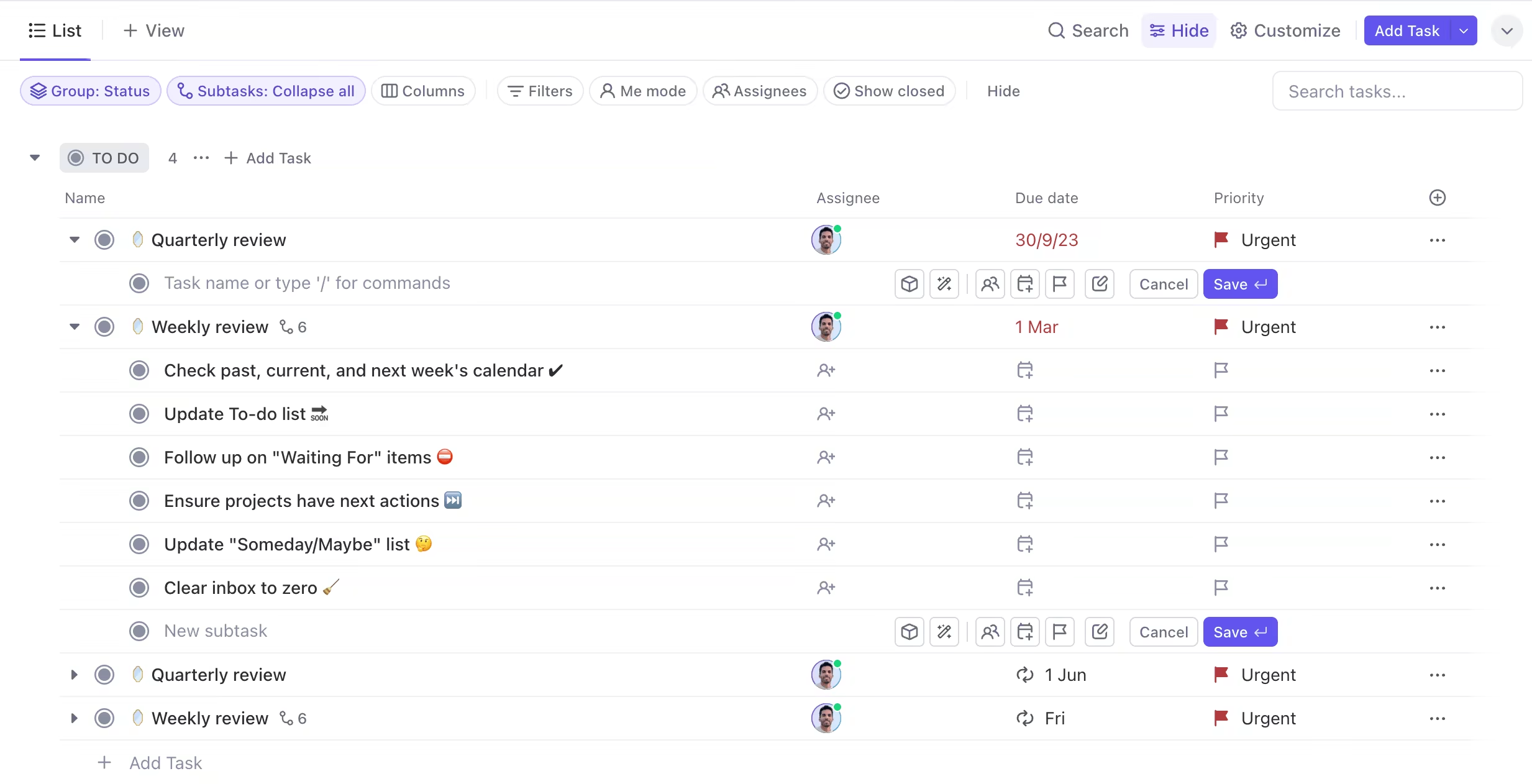
Another critical GTD component is the regular review. Having automated recurring tasks pop up every week keeps things on track with the weekly review process:
- Get inboxes to zero
- Update project plans and next actions
- Review upcoming calendar events and time-sensitive to-dos
Having this recurring checkpoint keeps priorities groomed and time and energy directed intentionally.
In the template a quarterly review task also guides a “higher altitude” scan - reassessing goals, reflecting on changes needed, and priming for the next 12-week cycle.
Making it one smooth flow
The biggest revelation in this process was how the system creates a graceful, circular flow of: Capture > Process > Organize > Review > Engage With ClickUp as the foundation, each piece is automated and perfectly integrated. Completing one step naturally triggers and transitions to the next. That flow means less friction and more mental peace knowing a trusted system is in place. The mind can relax and focus fully on taking action rather than juggling all those open loops. After years of working toward this white whale of personal productivity, it finally works for me! If you are interested, you can get the template here. Until next time - keep thriving and stay productive! Ramzi